





What is video conferencing?
Video conferencing is a real-time remote meeting that allows several people in different locations to see each other, hear each other and exchange information through a digital device. It combines audio and video transmission with content sharing: screen, documents, presentations. It is also referred to as videoconferencing, an online meeting or a virtual meeting.
Technically, video conferencing rests on two building blocks: video telephony (seeing and speaking with someone remotely) and multipoint conferencing (bringing more than two participants into a single exchange). Long reserved for large organisations with dedicated rooms, it became universal with the cloud: today a browser, a webcam and an internet connection are enough to run a video conference from anywhere.
Since 2020, video conferencing has changed status. It is no longer an occasional tool but the daily infrastructure of hybrid work: team meetings, project reviews, interviews, client calls, training sessions.
Video call, video conference, video conferencing: which term?
A video call usually connects two people. A video conference brings together three or more participants with collaborative features. Video conferencing describes the practice as a whole. In British and European usage you will also encounter videoconferencing as a single word — the meaning is identical.
What video conferencing is not
A video conference is a meeting format, not a broadcasting or training format. Delivering a message to 500 people is a webinar; developing skills in a group is a virtual classroom. Confusing these formats is the leading cause of ineffective meetings and disengaged participants — we break down the differences in the comparison below.
Key video conferencing benchmarks
A few orders of magnitude to frame your remote meetings.
The point beyond which attention drops sharply in remote meetings. For a dense topic, two short sessions beat one long one.
The range in which the meeting format works. Beyond it, switch to a webinar or structure the group into breakouts.
The number of participants a Glowbl space can host, spread across parallel work tables.
The spread of video conferencing created a new problem: virtual meeting overload. Whole days of back-to-back calls, passive participants clearing their inbox with the camera off, decisions that never get made. The challenge is no longer knowing how to hold a video conference — everyone can click a link — but knowing how to organise and facilitate it so that it actually produces something.
Video conference, webinar, virtual classroom: what's the difference?
Three synchronous formats that get confused, three very different intentions.
As soon as a screen and a webcam are involved, everything becomes "a call". Yet picking the wrong format for the right objective is the leading cause of disappointment at a distance. A video conference will never train anyone, and a webinar will never move a project forward.
| Criterion | Video conference | Webinar | Virtual classroom |
|---|---|---|---|
| Main objective | Meet, discuss, decide | Inform, promote | Train, practise |
| Participant role | Interlocutor: they discuss | Spectator: they listen | Actor: they produce, cooperate |
| Group size | 2 to 8 | 50 to several thousand | Up to 50, in groups of 7-8 people |
| Preparation | Agenda | Presentation outline | Timed instructional design |
| Interaction | Conversation, screen sharing | Chat, occasional polls | Breakouts, whiteboards, workshops |
| Output | Decisions, action plan | Replay, leads, awareness | Skills, deliverables, traceability |
| Best for | Team meetings, project reviews, interviews | Conferences, launches, awareness | Training, workshops, peer coaching |
Comparison of the three main synchronous remote formats
Video conference vs webinar: a question of audience
Remember the shorthand: a video conference gathers, a webinar broadcasts. In a video conference everyone has the floor and the exchange runs both ways. In a webinar, one or two speakers address a large, passive audience whose interaction is limited to the chat. If your meeting exceeds 8 participants and most will never speak, it is no longer a meeting — it is a webinar in disguise.
Video conference vs virtual classroom: a question of intention
The costliest confusion. Zoom, Teams and Meet reproduce the logic of the meeting room: a mosaic of cameras and a presenter. A virtual classroom reproduces the logic of the training room: tables where small groups work, activities carried out together, a designed session flow and deliverables that remain. For anything training-related, see our complete guide to the virtual classroom.
How to run a video conference in 7 steps
A successful call is won before, during and after the meeting.
Define the objective — and question the meeting itself
What must happen by the end of this call: a decision, an alignment, a problem solved? If the answer is "share information", a written message will probably do. State the objective in one sentence at the top of the invitation: it is the best antidote to meeting overload.
Build a timed agenda
List the items, the time allocated to each and the expected outcome (decision, input, information). Share that agenda with the invitation, along with any documents to read beforehand: a prepared meeting runs in half the time.
Invite the right people, and only them
Every participant should have a role: decision-maker, contributor or expert. Those "copied for information" will get the notes. Send a single link, state the duration and schedule an automatic reminder one hour before — the best cure for lateness and no-shows.
Prepare the space and the materials
On Glowbl you can upload your materials in advance: a lean deck, working documents, a pre-filled whiteboard. Sit somewhere quiet, light your face rather than your back, and put the camera at eye level. On Glowbl, with a persistent space, everything is ready before the session and stays accessible afterwards.
Test the setup before starting
Microphone, camera, connection, screen sharing: five minutes of testing saves fifteen minutes of fumbling in front of everyone. Open the room early so external guests can check their access. Favour a tool that opens in one click from the browser, with no installation.
Facilitate by distributing speaking time
Start on time, restate the objective and the ground rules (cameras on where possible, microphone muted when not speaking). Hand out the floor actively, draw in the quiet ones, rein in tangents, and use polls or a whiteboard to make everyone contribute. A participant who contributes does not drift off.
Close with an action plan, then circulate it
Reserve the final five minutes for the summary: decisions made, actions, owners, deadlines. Send the notes within 24 hours. That is what turns a conversation into results, and what separates a useful call from just another meeting.
Which video conferencing tool should you choose?
Zoom, Teams and Meet are excellent for meetings. The real question is not "which tool is best?" but "which tool for which use?".
| Features & uses | Meeting tools (Zoom, Teams, Meet) | Glowbl platform |
|---|---|---|
| Ideal use | Team meetings, project reviews, interviews | Workshops, training, seminars, collective intelligence |
| Spatial layout & virtual tables | ✗ Fixed camera grid | ✓ Visual space with tables: participants move their bubble freely |
| Breakout groups | Separate rooms, hard to supervise | ✓ Tables visible at a glance, the facilitator moves between groups |
| Built-in activities | Limited, third-party tools required | ✓ Quizzes, polls and whiteboards in the same interface |
| Space persistence | ✗ The session closes when the call ends | ✓ The space stays open and retains materials and outputs |
| Participant access | Installation or account sometimes required | ✓ One click from the browser, no account for guests |
| Data sovereignty | US publishers, extraterritorial law applies | ✓ Sovereign French publisher, hosted in France |
Functional comparison between general-purpose meeting tools and a dedicated collaborative platform
What is your dominant use case?
For straightforward meetings, the tool already bundled with your office suite does the job. For workshops, training or seminars, a platform designed for collaboration changes the experience entirely.
Who are your participants?
The more external guests you invite — clients, partners, learners, candidates — the more decisive access without installation or sign-up becomes. Every technical friction costs you attendees.
What compliance constraints apply?
Public bodies, regulated sectors and large groups give growing weight to data sovereignty. European hosting and GDPR compliance have become selection criteria in their own right.
When a standard call is no longer enough
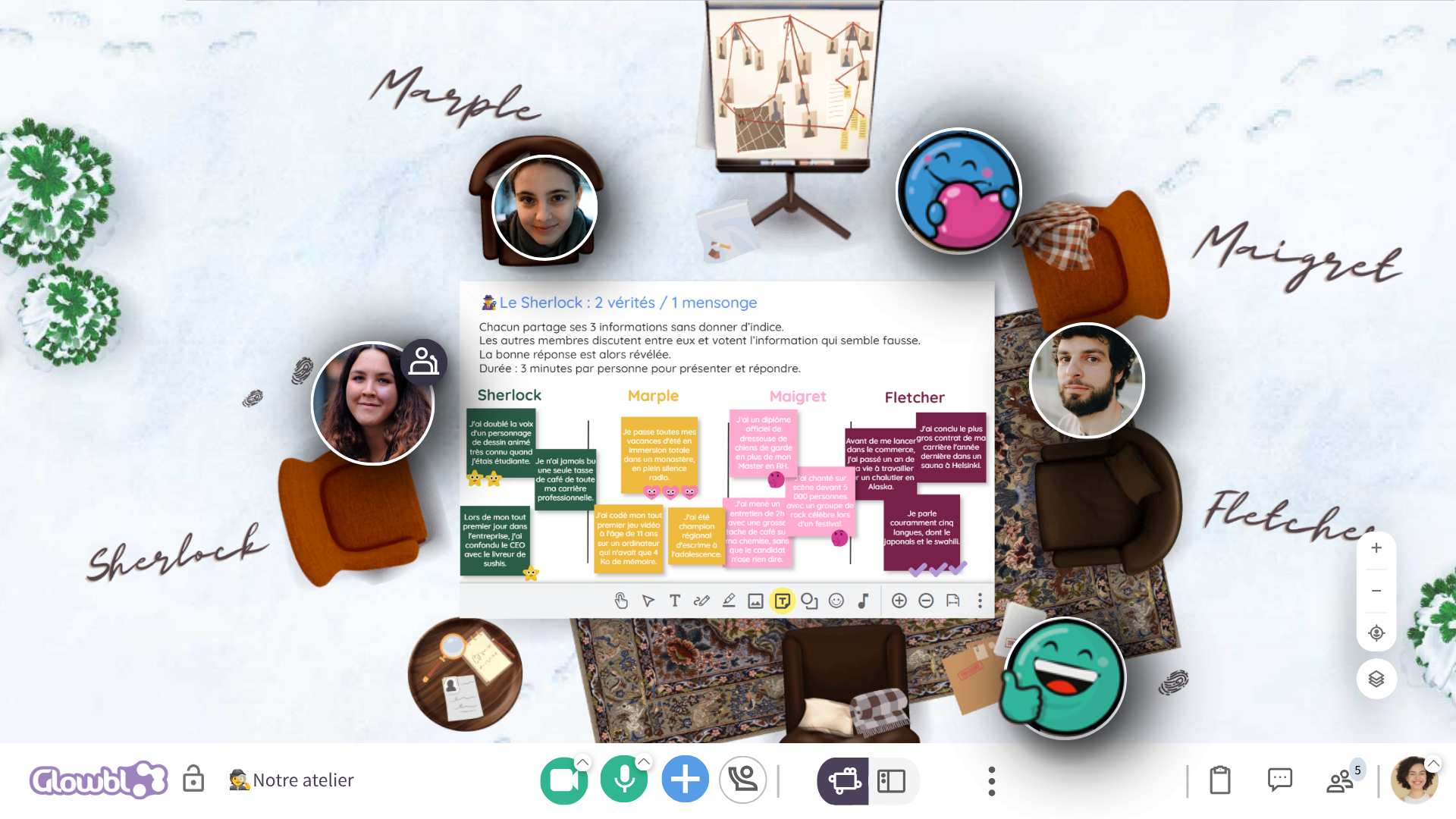
Glowbl is a collaborative video conferencing platform built in Lyon since 2011. Instead of a grid of thumbnails, a visual space where everyone moves their bubble from one table to another.
Move, gather, come back
In a physical room, you turn to your neighbour, join a table, return to the plenary. That freedom of movement is the engine of engagement that the camera mosaic removed.
- Several work tables within a single space
- One click to change group, no waiting room
- The facilitator sees every table and moves freely
- Informal moments: arrival, breaks, networking
Everything in one interface
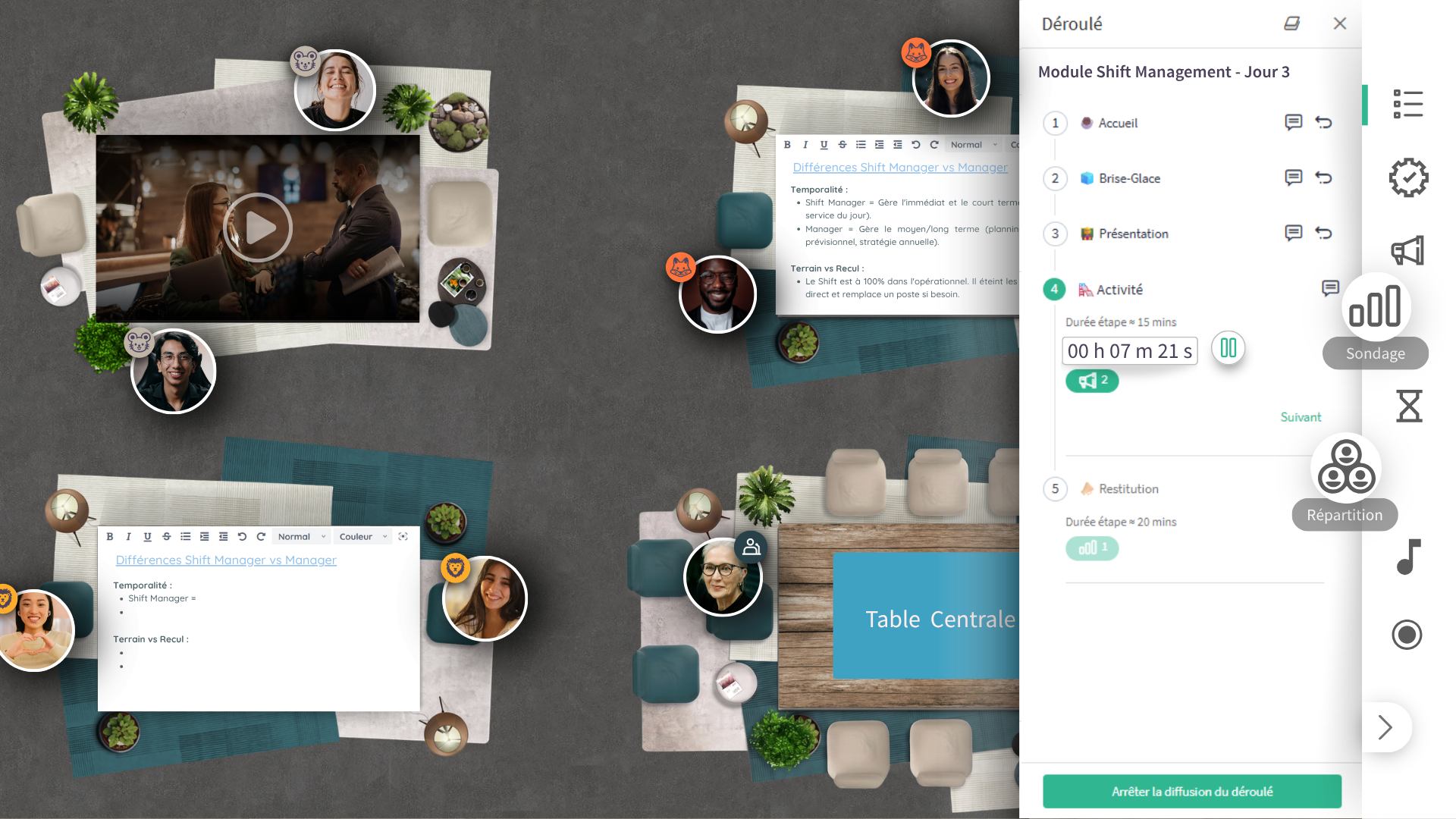
A workshop or a training session does more than talk: it produces. For that, nothing should force people out of the window.
- Collaborative whiteboards to build together
- Polls and quizzes to decide and check in real time
- Documents, presentations and synchronised video
- Pre-programmed flows: activities launch in one click
A space that doesn't disappear
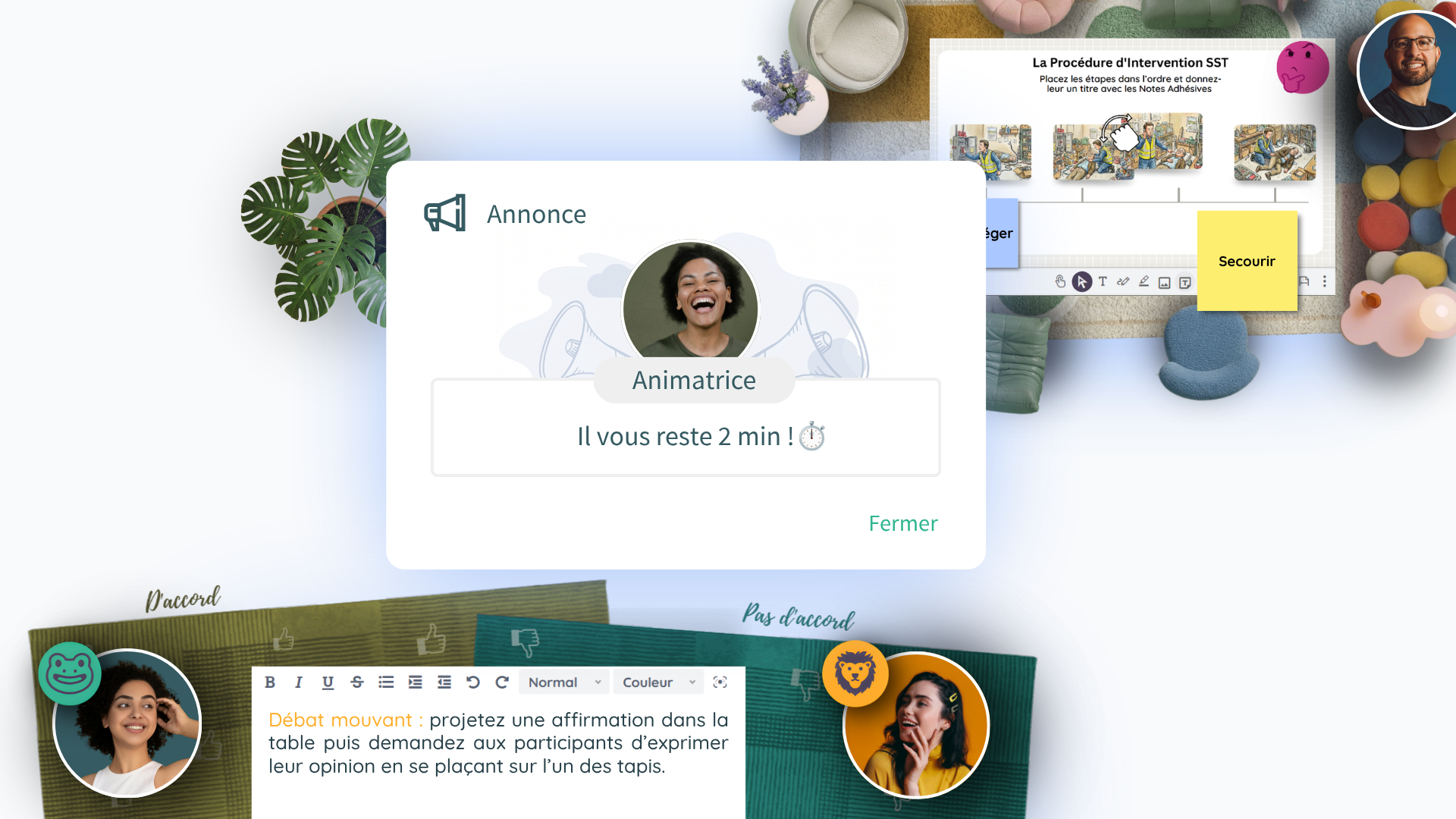
The meeting ends, the space remains. That is what lets teams, communities and learning journeys build over time.
- Space accessible between sessions
- Materials, outputs and history preserved
- Replay lets absentees catch up
- A sense of belonging builds over time
10 habits for effective video conferences
Simple reflexes that transform the quality of your remote meetings.
Cap it at 45 minutes
Beyond that, attention drops. For a dense topic, split into two sessions rather than adding an hour. And block five minutes of buffer between calls.
Send the agenda ahead
Items, time allocated, expected outcome and pre-reading: a prepared meeting is shorter and more decisive.
Cameras on by default
Non-verbal signals carry a large share of communication. A camera that is on sustains attention and improves the quality of exchanges.
Mute the mic, wear a headset
Mute when not speaking, and use a wired headset to eliminate echo and background noise. Audio quality drives credibility.
Get light and framing right
Light on your face, never behind you; camera at eye level; neutral background. Three thirty-second adjustments.
Hand out the floor actively
The facilitator names, asks, rotates speaking turns. Without that, two people dominate and the rest quietly disengage.
Make people contribute, not just listen
A one-minute poll, a quick round, a shared whiteboard: a participant who produces does not drift. Passivity is enemy number one.
Secure access
Space locking per meeting, a waiting room to screen arrivals, controlled sharing rights: essential as soon as external guests are involved.
Close with an action plan
Decisions, actions, owners, deadlines: the last five minutes are worth more than the previous forty.
Question every recurring meeting
Review your rituals every quarter. A meeting removed is sometimes the best optimisation available.
Want to try all this?
Create a collaborative space with several work tables and invite your team with a single link.
Discovery Offer →Zoom fatigue: why online meetings are draining
Zoom fatigue is not a feeling: it is a documented phenomenon. Jeremy Bailenson, professor of communication at Stanford and founding director of the Virtual Human Interaction Lab, produced the first peer-reviewed psychological analysis of it. Four mechanisms combine: sustained close-up eye contact (in person, you never stare at so many faces for so long), constant sight of your own image (a permanent mirror, cognitively costly), physical immobility (staying framed in your webcam for hours) and the cognitive load of non-verbal signalling (sending and decoding cues through a screen takes conscious effort).
Source: Bailenson, J. N. (2021). Nonverbal Overload: A Theoretical Argument for the Causes of Zoom Fatigue. Technology, Mind, and Behavior, 2(1).
The remedies follow directly from the causes: shrink the video window, hide the self-view where the tool allows it, allow audio-only calls for simple check-ins, build real breaks between sessions and, above all, break the passivity. Fatigue hits the motionless spectator first: a participant who moves between tables, works on a whiteboard or contributes in a small group engages their attention differently, and tires far less.
Collaborative video conferencing at work
Up to 300 people per space, with the option to link spaces together for large events.
Team rituals
Collaborative meetings, retrospectives, coordination workshops: set up recurring sessions in a space that stays open in between.
Collective intelligence workshops
Innovation, transformation, problem-solving, co-design: make your groups work in breakouts rather than simply gathering them in a mosaic.
Multi-site seminars
Build cohesion and alignment despite the distance, bringing several hundred employees together across linked spaces.
Onboarding new joiners
Speed up integration with immersive, participatory sessions where new recruits build connections from day one.
Communities of practice
Sustain networks of managers, experts or subject leads over time, in persistent spaces where the community lives between sessions.
Training and virtual classrooms
When a meeting becomes a training session, the virtual classroom takes over: instructional design, activities, breakouts and traceability.
What teams say after making the switch
"With Glowbl, we went from 138 slides down to 20 on the food hygiene training module."
Learning Manager · Burger King
"Glowbl is the closest thing to in-person facilitation we have found for remote sessions."
Head of Design & Build, L&D Center France · Capgemini
"When we use Glowbl, something happens. There is life in the room. Participants play with their bubble, move around, interact."
Project Manager, Skills Development · SIG