There is a moment that every remote trainer knows by heart. You launch your session, and twelve small black rectangles appear on your screen, displaying nothing more than a single initial in the center. You find yourself saying for the hundredth time: “Feel free to turn on your cameras if you’d like.” Silence. One rectangle lights up timidly, only to go black again five minutes later. You continue your lesson, talking—a little bit—into the void.
I don’t know a single remote trainer who hasn’t felt that particular brand of solitude at one time or another. Wanting to see your group’s faces isn’t about paranoia or an urge to micromanage; it’s the most natural reflex in the world for someone whose job is precisely to read the room, adjust their pace to what they perceive, and sense when it’s time to re-engage. Losing that overnight—without anyone explaining why or how to do things differently—is exhausting.
So, we either enforce mandatory cameras or silently feel guilty for not daring to mandate them. Since 2021, several research teams have looked into what is truly happening on the other side of the screen to understand why that quick fix isn’t enough, and above all, what could bring genuine relief.
Research Insights: Understanding What’s at Play
The CREN research center at the University of Nantes conducted a detailed survey on this topic in 2021. Researchers Mercier, Gautier, Pineau, and Lebouleux surveyed students about their camera habits in virtual classrooms. In my view, their most interesting observation lies not in the numbers, but in the underlying mechanism they describe: in a virtual classroom, the camera places the student at the exact same level of visibility as the teacher. Face-to-face, full screen, continuous. It creates a level of exposure that simply does not exist in a physical classroom, where you can look down, take notes, or whisper to your neighbor without thirty people watching you do it.
At Cornell University, Castelli and Sarvary reached similar conclusions in a study published in Ecology and Evolution: 41% of students turn off their camera because they don’t feel presentable, and 17% because they feel like they are being watched constantly. It is not a lack of interest in your course. It is a completely rational reaction to an environment that leaves them exposed for two hours straight.
Then there is an even more concrete explanation for the fatigue everyone feels behind their screens. Jeremy Bailenson, founding director of the Virtual Human Interaction Lab at Stanford, conceptualized what he calls “nonverbal overload” in 2021: on platforms like Zoom, we maintain near-constant eye contact with people who are, in reality, far too close to us on screen—at a physical distance we would never tolerate in person. We are frozen, unable to move as freely as in a real room. And above all: we see ourselves continuously, mirrored throughout the entire class. Try focusing on learning content when your own face is displayed non-stop in a corner of your screen. Research by Fauville and colleagues even showed that this fatigue affects women more than men, likely because the cultural pressure surrounding self-image monitoring is more intense.
In short: the black rectangle is not an admission of disengagement. It is often the only available escape valve from a tool that was never designed for three-hour training sessions, but rather for twenty-minute team syncs. And let’s be honest: you know this fatigue all too well on your side of the screen, too. Facilitating, capturing attention, and re-engaging a group you cannot see requires an effort that few truly measure. The problem is not just on the learners’ side; the entire system is wearing everyone out.
Does the Camera Actually Indicate Engagement? Not Really And That’s Where It Gets Interesting
I’m not going to lie to you and say that the camera doesn’t matter at all—that would be just as dishonest as claiming it’s everything. A recent study conducted among 1,134 students across five European universities (Groß & Fries, 2026) shows that having cameras on can improve learning outcomes. But look closely at the mechanism they describe: it works when the camera reinforces a sense of belonging to a group. It does not work—and actually produces the opposite effect—when used as a monitoring tool.
In other words: it’s not the camera itself that engages people. It’s what the camera allows them to accomplish together.
The single piece of data that struck me most across all my reading comes from Trust and Goodman, published in Faculty Focus: among their panel of students, 93% spontaneously turned on their camera in breakout groups, compared to only 48% during plenary sessions in front of the whole class. Same students, same course, same platform. What changed was the group size and the camera’s function at that precise moment. In a small group, the camera serves to collaborate with three people you can actually follow. In a large group, its function reverts purely to public exposure, offering no benefit other than being “seen.”
This shifts how I view the very legitimate urge to require cameras. It’s not the wrong response because trainers are picking the wrong battle; it’s a response that targets the right goal (real group presence) with the only lever they’ve been given (enforcement). The issue is that trainers have been forced to shoulder a software design problem alone. There is another lever—more effective, and above all, far less exhausting to maintain week after week: acting on the format rather than on the rules.
We saw this very clearly at INTERMIFE, a network of social integration organizations that runs remote co-development workshops for job seekers far removed from employment, who often suffer from social anxiety. Employment and training consultant Kathleen Abrunosa shared the story of a participant who only joined the program because he could participate remotely, turn off his camera, and use a static photo instead; a detail on his face was, for him, a source of anxiety too heavy to display. So, camera off from day one. And yet: sessions scheduled for 1.5 hours regularly lasted 2 to 2.5 hours because discussions had to be actively wound down—the participants had so much to share. Among this audience, remote attendance reached 100%, whereas absenteeism was systematic for in-person sessions. Turning off the camera was not an obstacle to speech. It was the very condition that enabled it.
What Makes the “Sense of Presence” Truly Unique
This sense of presence is precisely what trainers who use Glowbl describe to us, often using the exact same words they would use to talk about a physical room. At Capgemini, for example, the feedback is straightforward: “Visually, people are just like in a room. It feels as if we were in person.” A trainer at English for French, who initially wasn’t thrilled about moving online, puts it another way: “I feel that’s what Glowbl gave us: the opportunity to reconnect with everyone even at a distance, and to feel together in a classroom.”
And this physical room feeling doesn’t come from the camera. Mathilde, Director at ISTF, trains domain experts who have often never facilitated a remote session and dread the experience. She describes precisely what changes when an environment is organized into tables rather than a mosaic of video tiles: “Glowbl’s room-style format immediately reassures occasional trainers: they aren’t facing turned-off cameras or eyes staring straight at them through a lens, but are organized around tables. It directs learners’ attention to the content, to the table, to the group—and not to the expert, who might feel shy or uncomfortable in a remote setting.” It’s not the camera that puts them at ease. It’s the fact that they are no longer trapped right in front of it.
How We Approached the Virtual Classroom Question to Build Glowbl
Once you understand this, the core question changes completely. It is no longer “How do we force cameras on?” but “How do we build a space where the camera becomes naturally useful again, and where presence doesn’t rely solely on a face on a screen?”
- Reducing default exposure. On Glowbl, we chose small video bubbles over large full-screen portraits. It might sound minor, but it fundamentally changes one’s relationship to self-image: you are visible, you exist in the space, but you aren’t forcibly placed at the center of everyone’s gaze for two hours. It restores the natural breathing room you get in a physical environment.
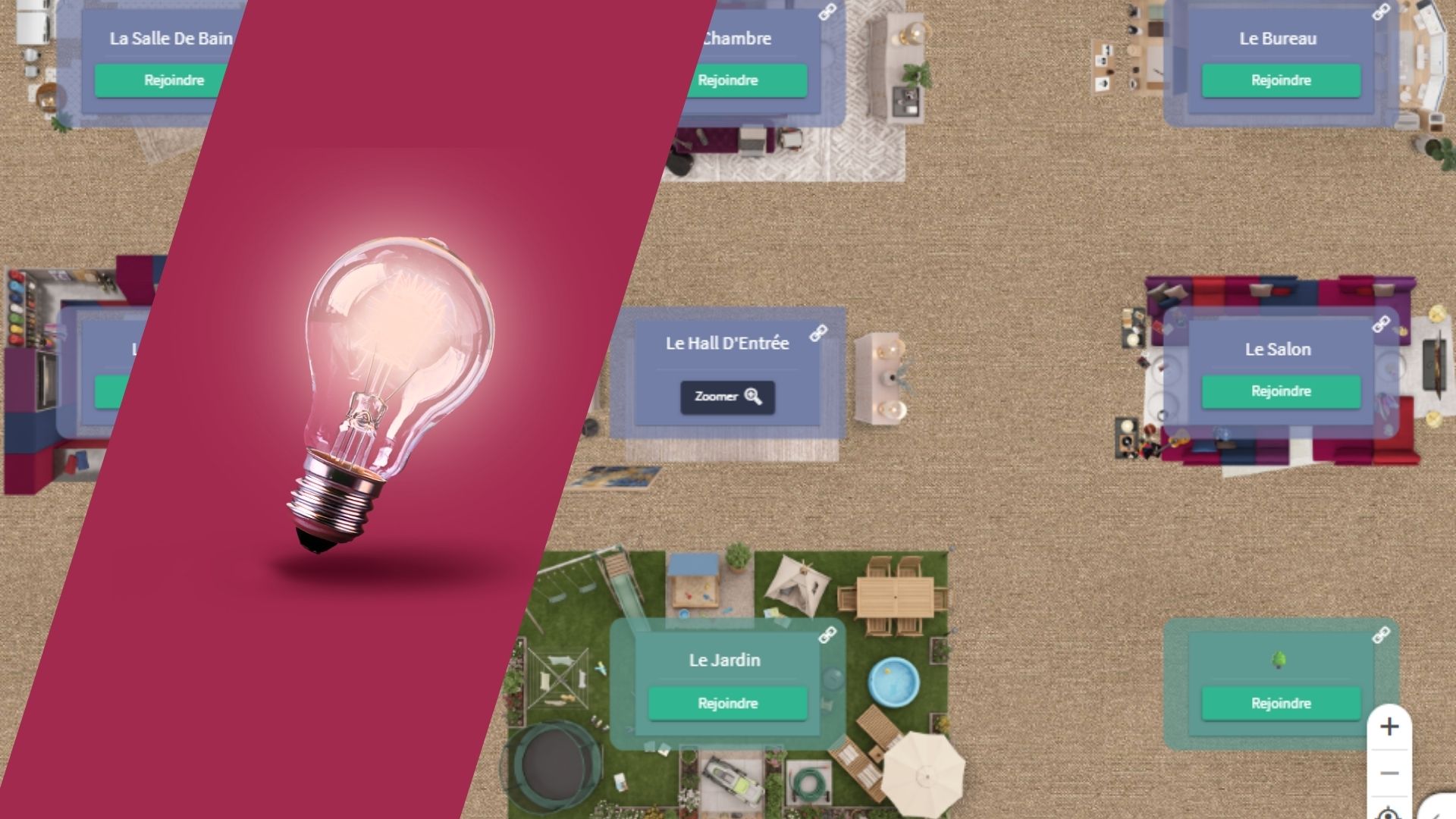
- Reorganizing the screen around content, not faces. Our virtual classrooms are structured into tables rather than a mosaic of thumbnails. This isn’t just an aesthetic detail: it shifts what your eyes encounter first when you open a session. You see an immersive, inviting environment, a shared document, or an activity—rather than a row of faces you instinctively scrutinize.
- Focusing on small groups. When you place three or four learners together around a specific task, the camera naturally becomes a tool for collaboration rather than a surveillance device. This was one of the key takeaways highlighted by Trust and Goodman’s study. Castelli and Sarvary arrived at the same practical recommendation: rather than penalizing, design activities where the camera serves a natural purpose. To go even further on Glowbl, you can also project a participant into the center of the table when needed for a specific exercise.
Freedom of Movement: Regaining Control Over Your Presence
In standard video calls, everyone remains immobile in their tile, constantly exposed, with little control over their visual environment—fueling fatigue, hyper-vigilance, and continuous self-observation. Glowbl allows participants to move freely within the space, around a table, or from table to table, simply by dragging their bubble to choose where to sit. This mobility restores a sense of agency to learners. Being able to “move” in the interface, even virtually, breaks the feeling of forced immobility and helps reduce cognitive fatigue.
3 Ways to Gauge Participant Engagement
- Multiply non-video signs of engagement. Chat, polls, collaborative whiteboards, direct annotations on shared documents—these are ways of participating that leave a concrete mark without requiring a face on screen. A learner answering a poll, annotating a slide, or asking a question in the chat demonstrates engagement that is at least as real as someone staring blankly with their camera on.
- Humanize without continuous exposure. On profile pictures, let’s be honest: it’s not a magic fix. A study by Kear, Chetwynd, and Jefferis on personal profiles in online learning communities shows that while it helps some learners feel connected to the group, it doesn’t work for everyone—some prefer anonymity or focusing solely on exchanges. It serves as a useful middle ground rather than a “surrogate camera.” A photo lets people recognize someone even when they aren’t live on video, without subjecting them to permanent exposure.
So: Cameras On or Off?
If you have ever felt a little alone facing this debate—caught between the legitimate desire to see your group and the guilt of forcing something that feels uncomfortable—I hope this takes some weight off your shoulders. You aren’t managing your virtual classroom poorly. The format you were given was simply never built for this.
The real question has never been “camera on or off?” but rather “what am I asking my group to do, and does the space I’m using help them do it, or is it just unnecessarily exposing them?” A virtual classroom designed for small-group activity generates real presence without having to demand it. That doesn’t mean everything will be perfect overnight, or that every group will react the same way—but at least it shifts the battle, and that’s a major step forward.
At Glowbl, we never claimed to solve “Zoom fatigue” by building a smaller copy of Zoom. We built the space differently from day one, driven by a simple conviction: you shouldn’t have to carry the sole burden of bringing a group to life when the tool itself was built to erase it.