How to manage your account?
Managing your account
Accessing the editing page
Open/close the contentClick on your profile picture at the top right hand corner of your screen, then click on Edit your profile.

Editing your profile picture
Open/close the contentIn order to change your profile picuture:
- Click on Change photo then upload a photo from your computer by clicking on Browse.
- You can also take a picture by choosing
Use camera. Once your picture is uploaded or taken, crop it as prefered and click on Validate.

Editing your information
Open/close the contentWrite your information in the following fields then click on Save at the bottom of the page.

Changing your password
Open/close the contentClick on the menu at the top left hand corner of your screen, then on My account then on Security.
Click on Password, type in the information and click on Save.

Deleting your account
Open/close the contentClick on the menu at the top left hand corner of your screen, then on My account then on Preferences.
Click on Delete my account, type in your password and click on Save.

-

? How to communicate during a session?
- Communicating with the other participants
- Sending messages
- Editing your digital business card
- Configuring your equipment
-

-

-

? How to customise a space?
- Customising a space
- Customising a table
- Adding a Glowbl space in Teams
- Adding a virtual background to a webcam
-

-
⚙️ How to manage your account?
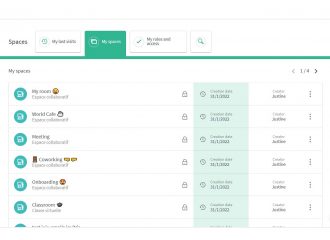
- Managing your spaces
- Managing your account
- Linking spaces
- Duplicating a space
- Exporting attendance times


